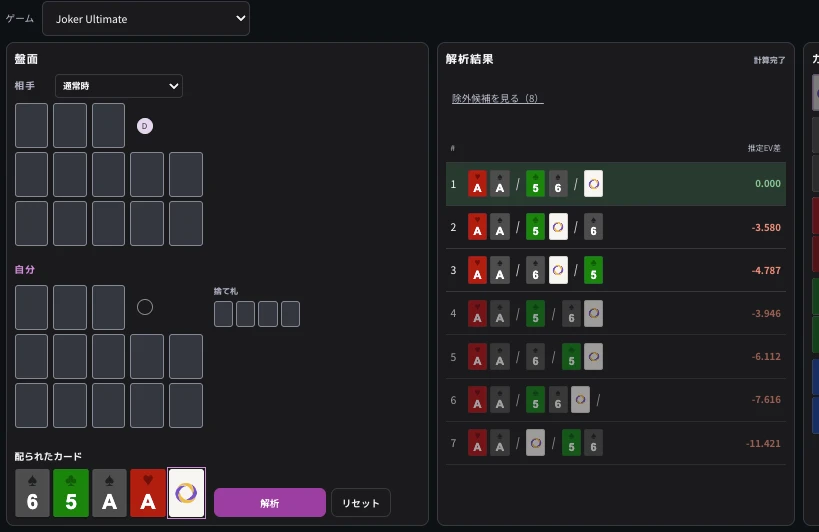
The screenshots show the Japanese interface: 解析 = Analyze, リセット = Reset, and 通常時 = Normal.
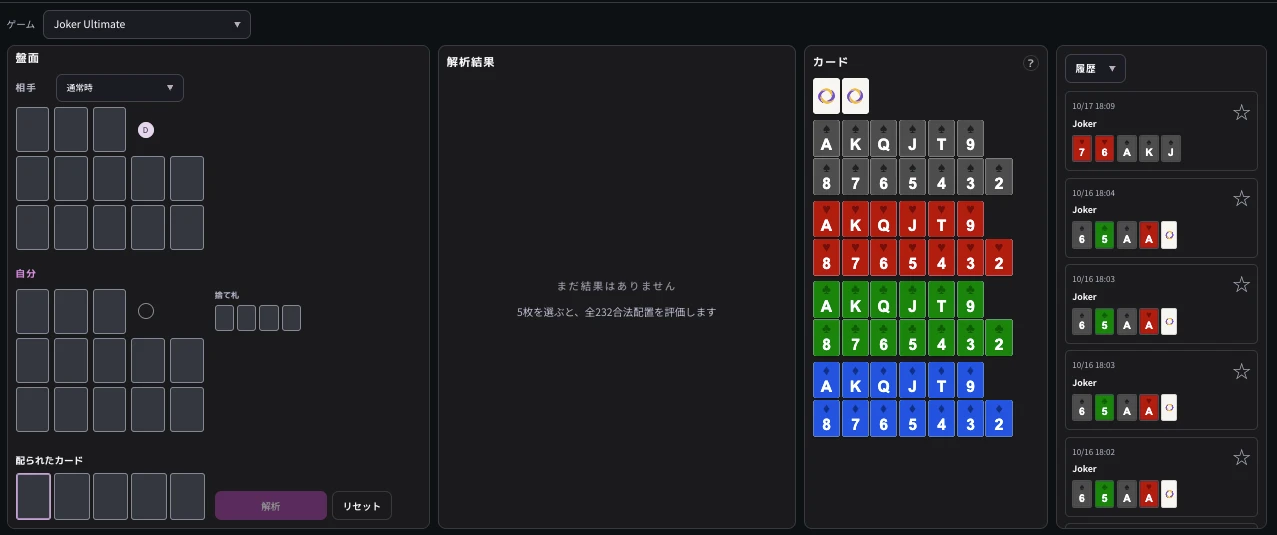
STEP 01Set game conditions
First set the game type and the opponent’s state to match the spot you want to recreate.
1. Game type
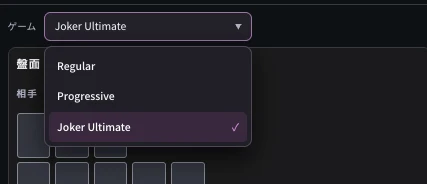
Select the game you played.
- Regular
- Progressive
- Joker Ultimate
Jokers and FL rules vary, so match the rules you actually played.
2. Opponent state
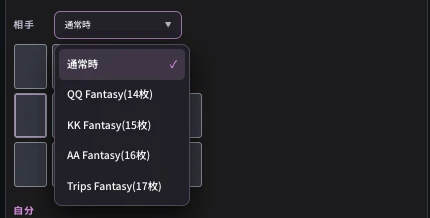
Select “Normal” for an opponent playing a normal hand, or the matching FL type for an opponent in Fantasyland.
Available opponent states depend on the game type.
The Joker Ultimate example offers QQ FL, KK FL, AA FL, and Trips FL. Select the state that matches your opponent’s situation.
Selectable states and supported analysis vary by game. If the screen shows a message such as “Coming soon,” follow its guidance.
STEP 02Recreate any spot
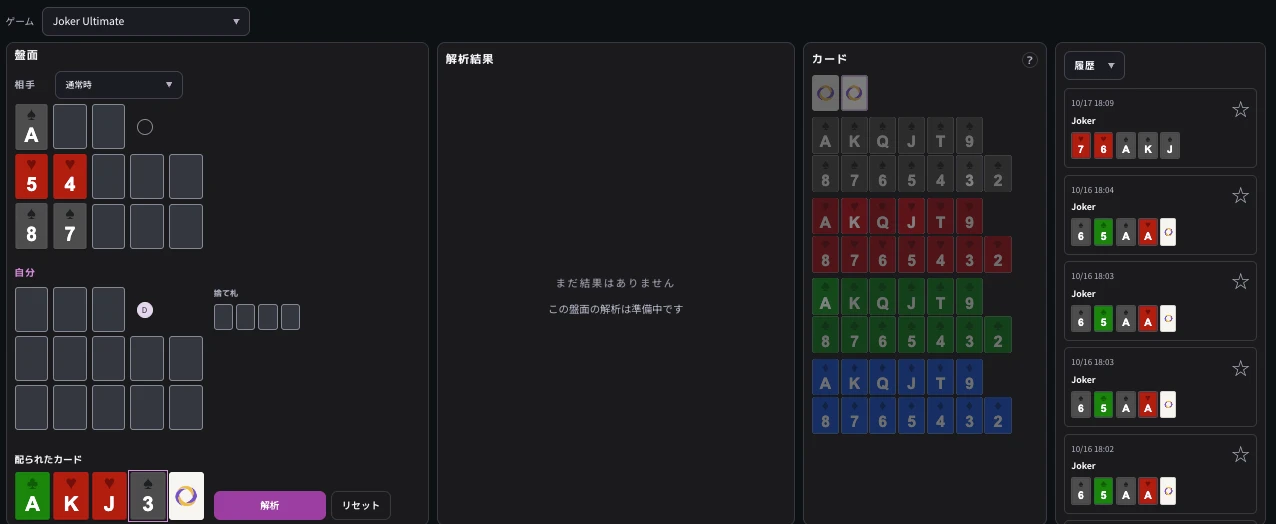
Choose an input field, then select the card you want under “Cards” on the right.
You can also enter cards with the keyboard.
| Input area | What to recreate |
|---|---|
| Your board | Cards already placed in the top, middle, and bottom rows |
| Opponent board | Opponent cards visible at that time |
| Dealt cards | Cards whose placement you are deciding |
| Discards | Cards you had discarded by then |
For an opening hand with no visible opponent cards, leave both boards and discards empty and enter five cards under “Dealt cards.”
For a later spot, recreate the boards and dealt cards at that point.
Available analysis spots vary by game and supported state. If the screen shows a message such as “Coming soon,” follow its guidance.
STEP 03Analyze
Once you have recreated the spot, click “Analyze” or press Enter.
The results appear on the right when calculation finishes.
Use “Reset” to start over with another spot.
STEP 04Review analysis results
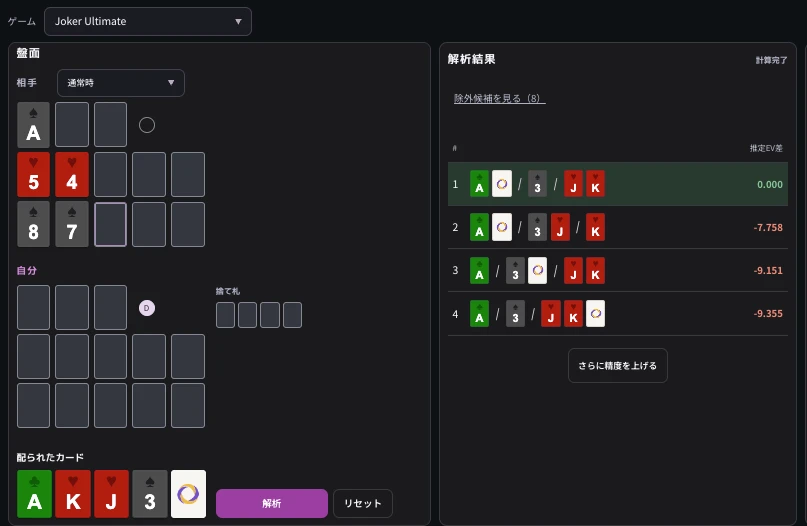
Candidates are listed from highest to lowest EV.
The first candidate is shown as 0. All later candidates show their EV difference from first place.
For example, “−1.000” is estimated to be 1 point lower in EV than first place.
Compare the placements and EV differences with your own choice.
EV is an estimate. Do not judge a placement solely from a small difference.
Frequently asked questions
What if I cannot press Analyze?
Check that the card count fits the recreated spot, no card is entered twice, and the selected game and state support analysis.
Also check on-screen input errors and “Coming soon” notices.
Will a hand with visible opponent cards produce the same result?
Not necessarily.
When recreating an IP spot, also enter the opponent cards visible at that time.
Do not treat analysis that omits visible IP cards as the answer for that spot.
What if my placement is not in the list?
Check the game, deal, and suits.
If “View excluded candidates” appears, check there as well.
Excluded candidates may not be updated with the same calculation budget as the leading candidates.
How should I interpret the first candidate?
It is the placement with the highest estimated EV under the entered conditions.
Because it is an estimate, additional calculation can change the ranking.
Compare candidates with small EV differences to learn other similarly rated placements.
compare an uncertain opening hand.
Review your placements after play with OFC Oracle.
- Regular
- Joker Ultimate
Solve Fantasyland hands with the FL solver
For learning and post-game review